
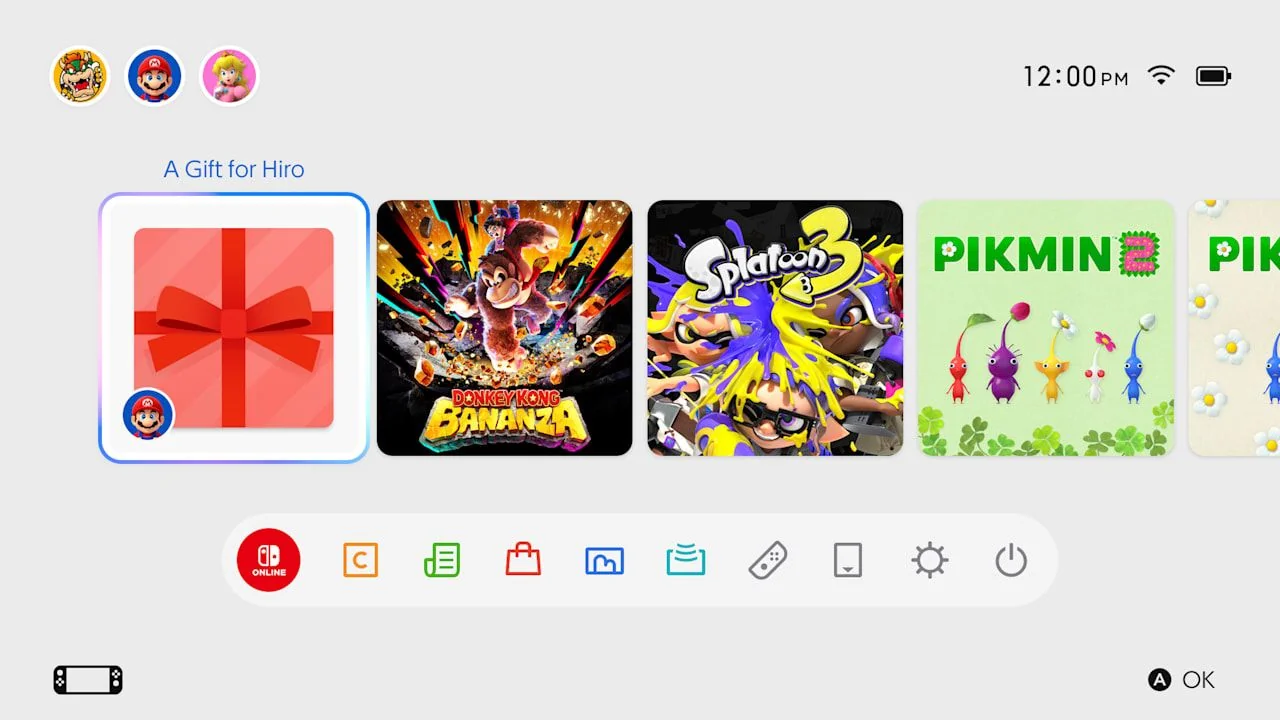
Switch System Update 23.5.0 Adds eShop Gifting for Family Group Members
System update 23.5.0 is out on Switch and Switch 2 with support for eShop gifting, but only to Nintendo Account family group members. The feature needs an eShop update first. Here is who can send gifts, how to add someone to a family group, and what to use instead for friends outside the group.
System version 23.5.0 is out for Nintendo Switch and Nintendo Switch 2. The headline change is support for gifting Nintendo eShop products, but only to members of the same Nintendo Account family group. The system update is already available. The gifting feature itself still needs a Nintendo eShop update before you can use it.
When can I send an eShop gift?
Nintendo plans to turn on gifting with a Nintendo eShop update on November 16–17, 2026 (the US announcement says the 16th, the support pages say the 17th).
Until that eShop update lands on your console, you can install 23.5.0 and set up a family group, but you will not see the new gift option yet. You also need system version 23.5.0 or later.
Who can I gift to?
Only members of your Nintendo Account family group. A regular Nintendo friend is not enough. A family group can have up to 8 accounts in total.
You can gift eligible digital games, DLC, and upgrade packs. Nintendo says some products may not be eligible, supervised accounts cannot send digital gifts, and the number of digital gift purchases allowed in a given period is limited. Nintendo has not published that limit.
Gifts are sent immediately. Nintendo says the gift appears on the recipient's HOME Menu, where they can accept it and play right away.
How do I send a gift?
These are the steps Nintendo published for when the eShop feature is live:
- Open Nintendo eShop on your Switch or Switch 2 and find the product you want to gift.
- On the product page, select the Give as a Gift checkbox, then continue to purchase.
- Choose the recipient from your family group list. You can also choose which of their linked systems receives the gift.
- Pick a gift wrap color and any other options, then complete the purchase as usual.
How do I add someone to a family group?
Only the family group admin can add members. Nintendo's official steps are:
- Go to the Nintendo Account website and sign in with the admin account.
- Select Family group.
- Select Add a member, or Create family group if you do not have one yet.
- Select Invite someone to your family group.
- Confirm the on-screen information, enter the email address registered to that person's Nintendo Account, and submit. Nintendo sends them an invitation email.
- They open the email, select the verification link, sign in, and select Join family group.
- Once they accept, their account appears in your family group and you can assign them a role.
If Add a member does not appear, you are not the admin. If you already have 8 members, you cannot add another until someone leaves. If the other person does not have a Nintendo Account yet, they need to create one first.
Full official instructions are on Nintendo's family group support page.
What if they are not in my family group?
You cannot send them a digital eShop gift through this feature. Nintendo still sells prepaid Nintendo eShop cards and download codes through authorized retailers, which the recipient can redeem on their own Nintendo Account.
To redeem a code on the console, open Nintendo eShop, select the account, choose Enter Code, and enter the 16-character download code.
What else is in 23.5.0?
On both Switch and Switch 2, Nintendo also lists general adjustments and fixes.
On Nintendo Switch 2 only, 23.5.0 also adds:
- Accessibility settings are available during first-time setup.
- Text-to-speech in System Settings > Accessibility adds Portuguese (Portugal).
- GameChat text-to-speech also adds Portuguese (Portugal).
How do I install the system update?
If the console is online, the update usually downloads automatically. To check or start it yourself:
- Select System Settings on the HOME Menu.
- Scroll to System.
- Select System Update.
Nintendo's full English changelog is on the Switch system update information page. The company also posted a news explainer for the gifting feature.